
Gold Miner AI System is a revolutionary step in the world of CFDs and Leverage Trading. This tool can single handedly handle all of your trading requirements, it doesn’t matter you are new into trading or you have years of experience, it servers you well. It’ll tell you exactly when to open a trade and where to close, it’ll help you avoiding revenge trading, over trading and all other common pitfalls that every single trader faces in his trading journey.
Steps to use this system
- Open and Login your TradingView
- Click on top left corner (where your picture is shown)
- Click on “Your Profile” in the dropdown menu in front of you Name.
- Your profile page is opened now
- Select your Username (this is sensitive step, copy all the “_ , .” or any other characters used in your username) wrong username can lead to not get Gold Miner Ai System applied onto your chart

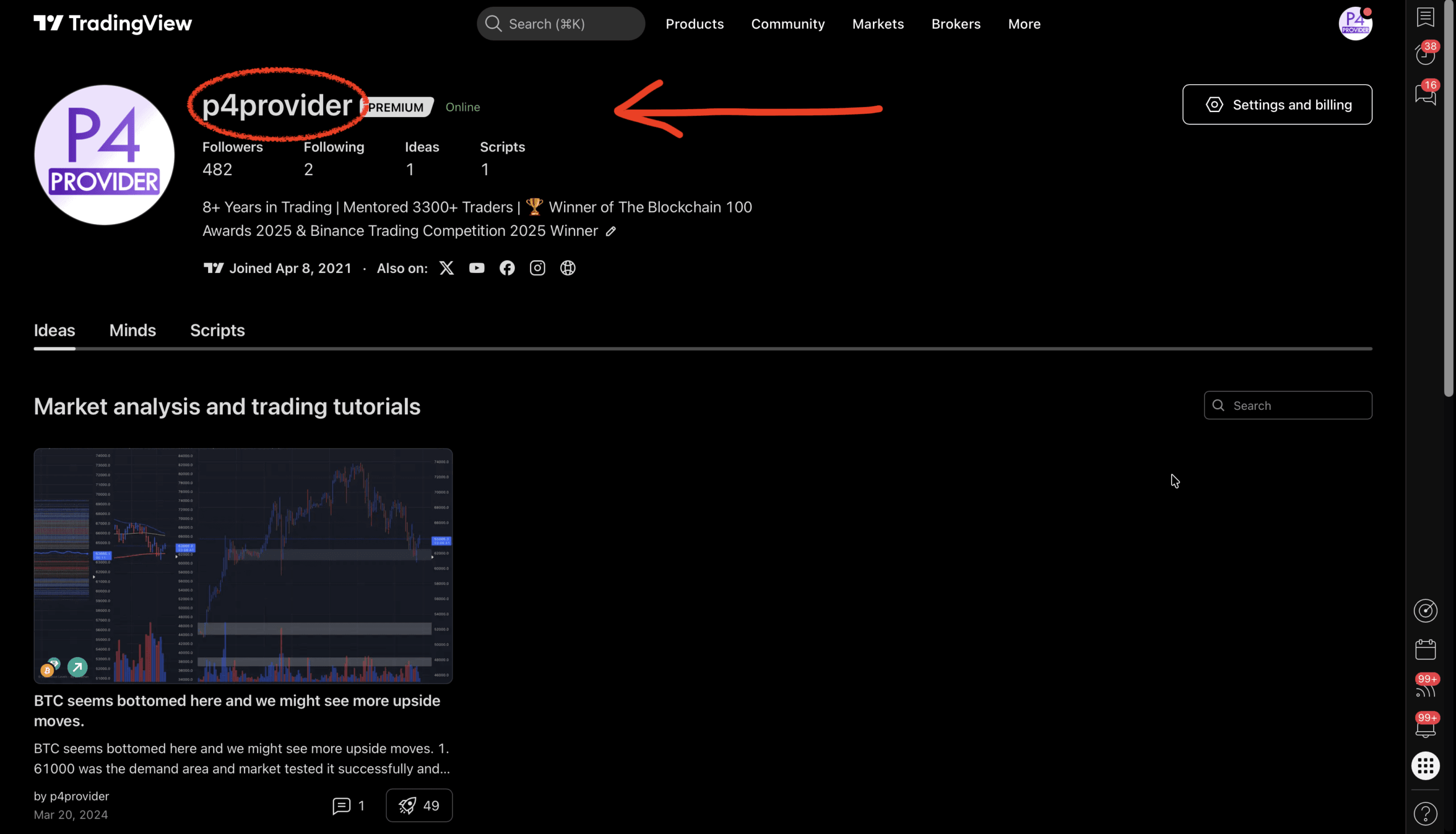
- Copy your Username
- Go to P4 Provider’s website to get subscription of Gold Miner AI System
- After you get confirmation Email from P4 Provider team regarding Gold Miner AI System access, open your TradingView account.
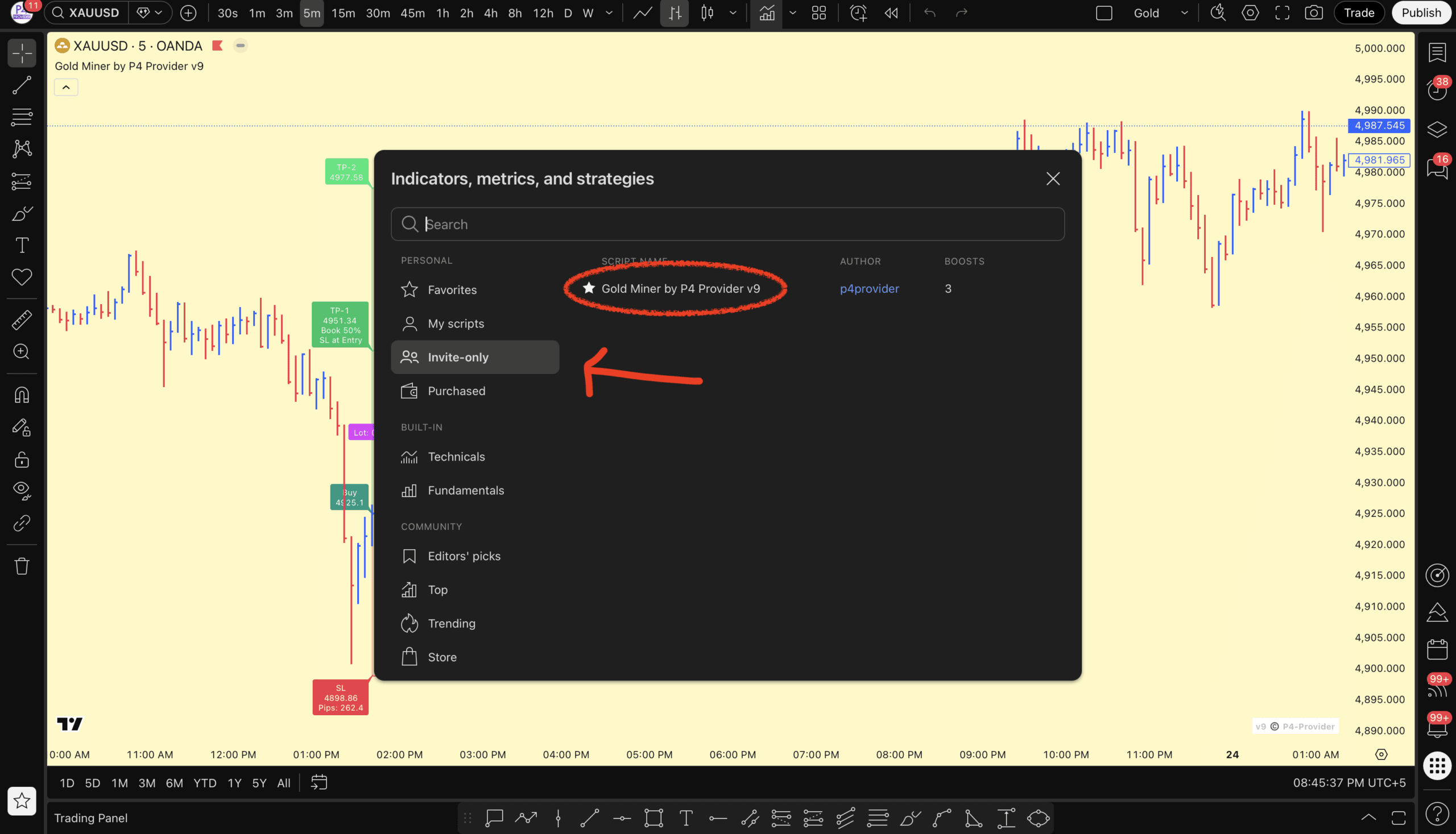
- Click on indicators
- In the left side options click on “invite-only”
- Now you can see “Gold Miner AI System” in the list, click on it
- Now open a chart “XAUUSD-OANDA”
- Set the time frame to 5M
- Set Bars shape
- Click on indicator’s setting
- Input you account balance the box
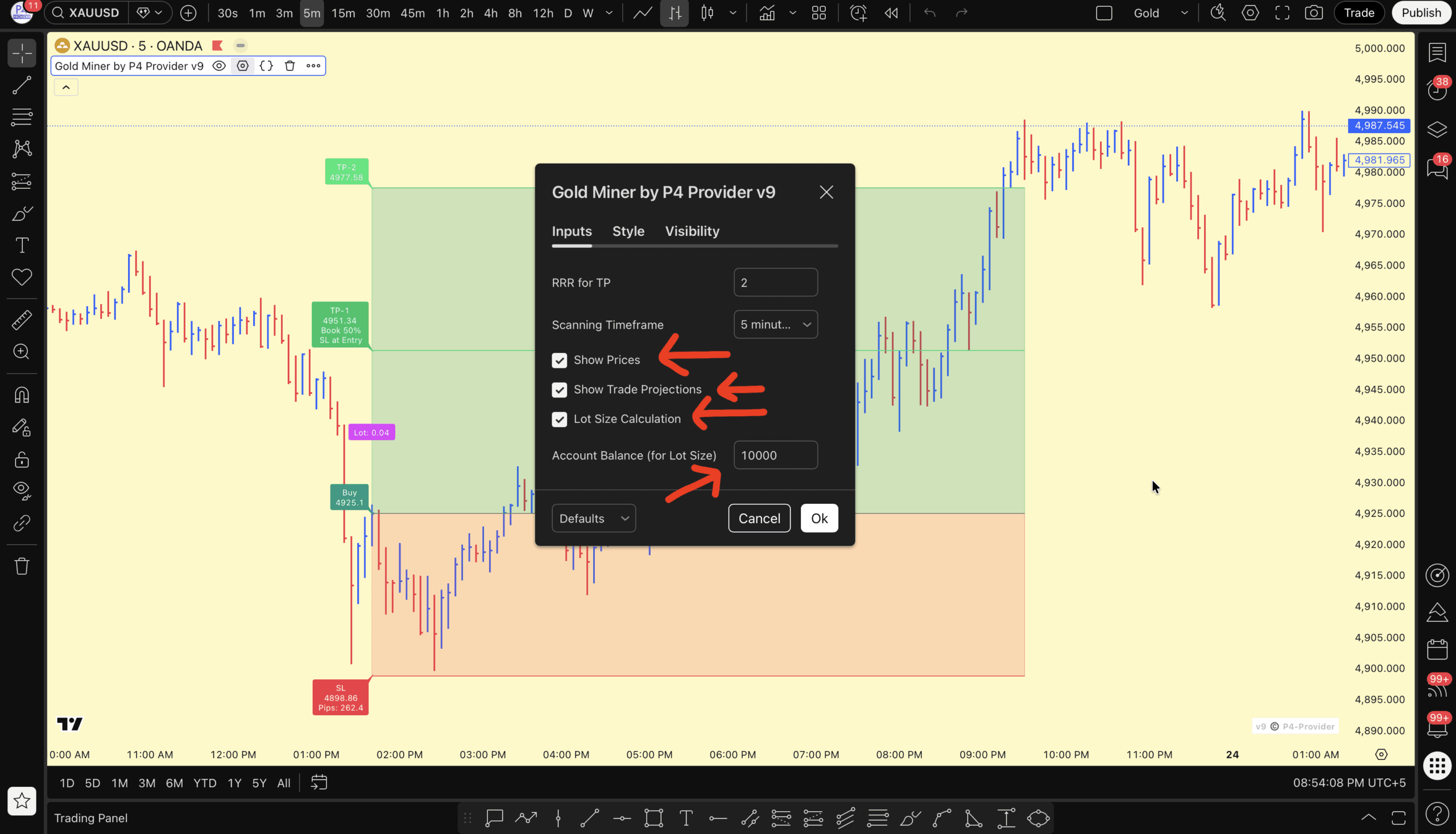
Boom, now everything is setup, just wait for the system to print trade idea onto your screen. Then just open the trade and enjoy..
For further guide Watch the Guide Video